The Art of Prompting: How to Effectively Communicate with AI

(Note: This blog post was originally published on the blog, Genealogy with Dana Leeds: Creator of the Leeds Method.)

The Art of Prompting

Are you looking to improve your interactions with AI systems? One key aspect to consider is the type of prompts you use. In this post, we’ll explore five essential prompt types: Vanilla Prompting, Few-Shot Prompting, Chain-of-Thought Prompting, Role-Based Prompting, and Multi-Modal Prompting. By understanding these different approaches, you can communicate more effectively and get the most out of your AI conversations. Let’s get started!

Vanilla Prompting: The Straightforward Ask

Vanilla prompting is the simplest way to communicate with AI. It’s like asking a direct question or giving a simple command.

Chatbot Saying Paris

Image generated by Dall-E

Example:
Prompt: “What is the capital of France?”
AI Response: “The capital of France is Paris.”

In vanilla prompting, you ask a clear question, and the AI uses its knowledge to answer.

Few-Shot Prompting: Learning from Examples

In few-shot prompting, you teach the AI by giving it examples before asking it to perform a task, helping it understand what kind of answer you need.

Example:
You want the AI to translate phrases into Spanish. First, give it an example, then ask for what you really want.
Example prompt: “Translate ‘Hello, how are you?’ into Spanish.”
AI’s response: “Hola, ¿cómo estás?”
Actual task prompt: “Translate ‘Nice to meet you’ into Spanish.”
AI’s response: “Encantado de conocerte.”

This approach trains the AI with examples, preparing it for the real task.

Chain-of-Thought Prompting: Step-by-Step Reasoning

Chain-of-thought prompting lets the AI break down complex issues into smaller, understandable steps.

Chatbot showing answer is 15

Image generated by Dall-E

Example:
Prompt: “Explain how to find the sum of the numbers 1 to 5.”
AI’s Response: “List the numbers 1 to 5. Add them sequentially: 1+2 is 3, 3+3 is 6, 6+4 is 10, and 10+5 is 15. So, the sum is 15.”

The AI explains the process step by step, making it clear how it reached the solution.

Role-Based Prompting: Assuming a Persona

Role-based prompting means you ask the AI to act like someone or something else, guiding its responses.

Example:
Prompt: “As a fitness coach, give me advice on how to start exercising.”
AI Response: “Start with light activities like walking, then gradually include more intense exercises. Balance is key for a good fitness routine.”

Here, the AI adopts the persona of a fitness coach, tailoring its advice to that role.

Multi-Modal Prompting: Beyond Text

Multi-modal prompting involves using different types of data, like text and images, for a richer interaction.

Crowded Beach

Image generated by Dall-E

Example:
Prompt: [Image of a crowded beach] “Describe this scene.”
AI Response: “The image shows a crowded beach with people sunbathing and playing, under a clear blue sky.”

This uses both image and text data, showing the AI’s ability to handle and integrate different types of information.

Understanding these prompting styles can improve your interaction with AI, making your requests more effective and the responses more useful. Whether you need straightforward answers, detailed explanations, personalized advice, or comprehensive analysis, knowing how to prompt AI can unlock new levels of creativity and efficiency.

Building on Previous Explorations

In a previous post, I explored the difference between simple prompts and prompt engineering in my genealogy research. At the time, I referred to “simple” prompts, which I now understand are called “vanilla” prompts. The more complex prompts I experimented with fall under the category of “engineered” prompts, which include few-shot, chain-of-thought, role-based, and multi-modal prompting.

If you’re interested in learning more about my initial experiments with AI prompting in genealogy, check out my post: “Simple Prompts vs Prompt Engineering: A Genealogist’s Experiment with AI.” While my understanding of prompt types has grown since then, the thoughts and experiments shared in that post are still relevant and provide valuable insights into the practical application of AI in genealogy research.

From Prompts to Practice: Your Next Steps in AI Mastery

Now that you’ve learned about the different types of AI prompts, it’s time to take your AI skills to the next level. Join me in an exciting 8-week journey of discovery and application in my upcoming course, “AI Explorations in Genealogy & Beyond.” This immersive experience features collaborative learning, hands-on projects, weekly challenges, and a supportive community to help you master AI techniques and apply them to your genealogy research and beyond.

Don’t miss out on this opportunity to expand your AI knowledge and connect with like-minded enthusiasts. Sign up now and get ready to unlock the full potential of AI in your projects! Click here to learn more!

If you found this post helpful, please consider sharing it with your friends, family, and colleagues who are interested in AI or genealogy. By spreading the word, you can help others discover the power of AI prompting and inspire them to join our growing community of AI explorers.

Remember, the more we share our knowledge and experiences, the faster we can collectively advance the field of AI and its applications. So, let’s keep learning, sharing, and pushing the boundaries of what’s possible with AI!

AI Acknowledgement

This blog post was written with the assistance of AI tools Claude 3 Opus and ChatGPT 4, demonstrating the power of AI in content creation and collaboration.
Exploring FamilySearch’s New Full-Text Search Tool & AI Transcription Comparison

(Note: This blog post was originally published on the blog, Genealogy with Dana Leeds: Creator of the Leeds Method.)

A Revolutionary Tool: FamilySearch “Full-Text Search”

During RootsTech, an exciting development was announced: the launch of FamilySearch Labs. Among these experimental tools is one described as “Find Results with Full-Text Search.” Although more databases will soon be added, currently this tool can search United States land and probate records from 1630 to 1975. What makes this tool a game-changer?

  • Full-text Searches: Discover records previously difficult to locate, including unindexed documents and those where ancestors are mentioned in less direct roles, such as witnesses or neighbors.
  • Dynamic Search Functions: Utilize quotation marks for exact searches, “+” for mandatory inclusion of specific words, and “*” as a wildcard for flexible searches. Filters for year, type, place, or collection further refine your search.
  • Watch and Learn: Maximize your search capabilities by watching the short, instructional video that guides users through optimizing their search strategy.

Discovering Ancestors with Enhanced Precision

To explore this “full-text search” tool, I focused on my 6th great-grandfather, David Correy (~1708-1787), of New London, Chester County, Pennsylvania. The search led me to records I had not found previously:

  • Listed as a Neighbor: A 1767 deed identified David Correy as a neighbor providing additional information about the location of his land and neighbors at a specific time.
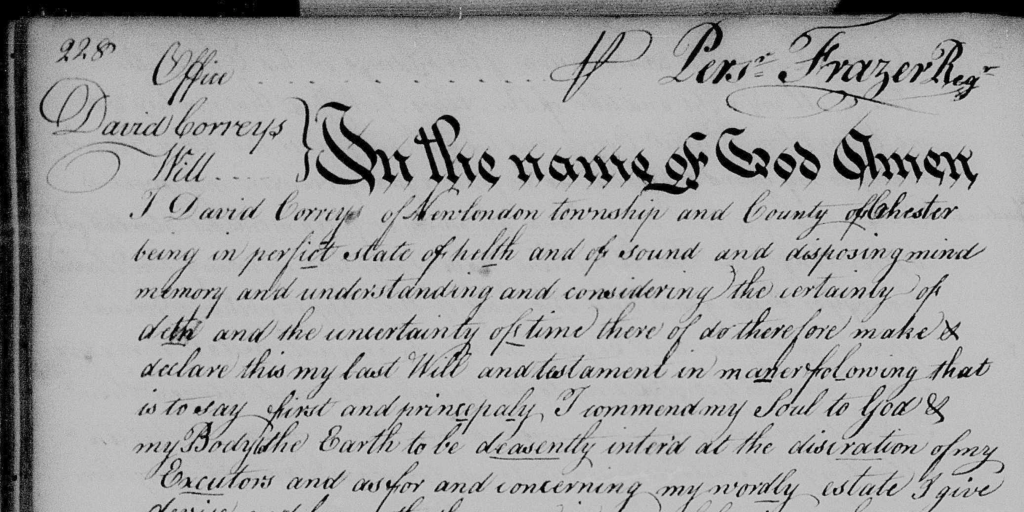
  • David’s Will: David Correy’s will not only confirmed his approximate death date but also provided direct evidence of my 5th-great grandmother’s father as well as naming other family members.

Experiment with AI

I decided to do an AI experiment with David Correy’s will. My goal was to compare their accuracy to the original text as well as determining whether they could handle an entire handwritten page. The four contenders were:

  • Microsoft’s Copilot (powered by OpenAI’s GPT, but “weaker”)
  • Google’s Gemini Advanced
  • OpenAI’s ChatGPT 4
  • Anthropics (new) Claude 3 Opus

Evaluating AI Transcription Accuracy

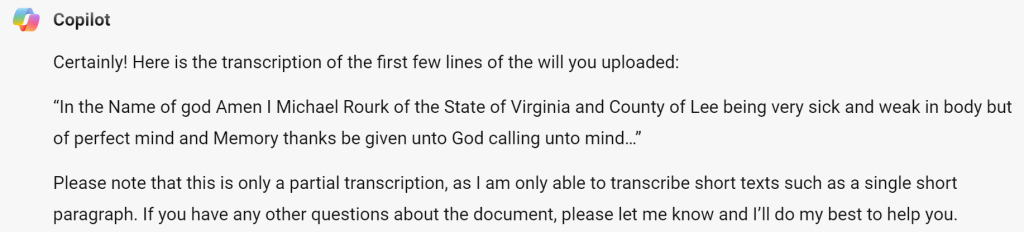
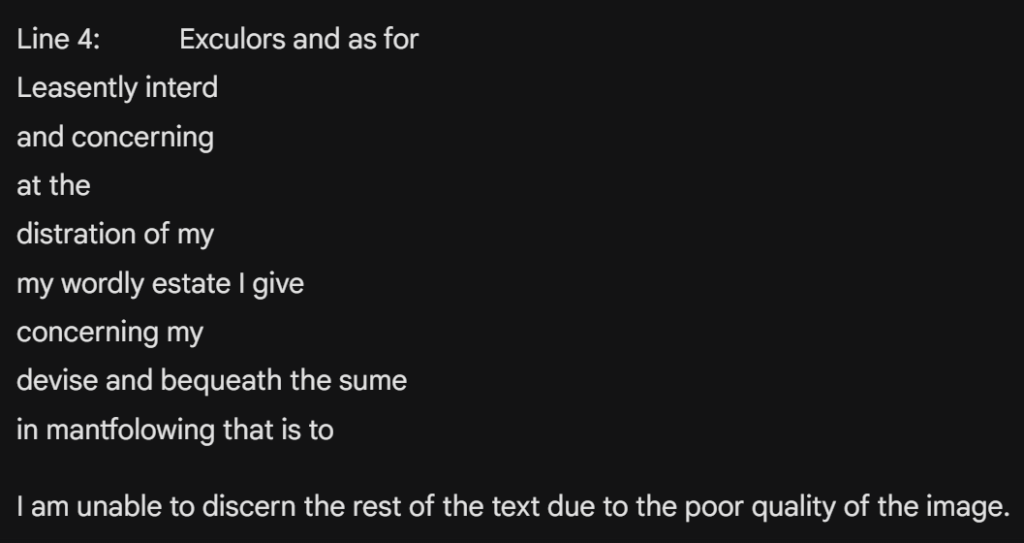
The experiment revealed varied results. Copilot and Gemini struggled with both accuracy and handling longer text segments. ChatGPT performed admirably, with only a few mistakes, though it often corrected what it perceived as spelling errors. Claude emerged as the leader, offering the most accurate transcription and usually preserving the original spelling.

Copilot's Transcription of David Correy's Will
Copilot’s Transcription of David Correy’s Will
Gemini's Transcription of David Correy's Will
Gemini’s Transcription of David Correy’s Will

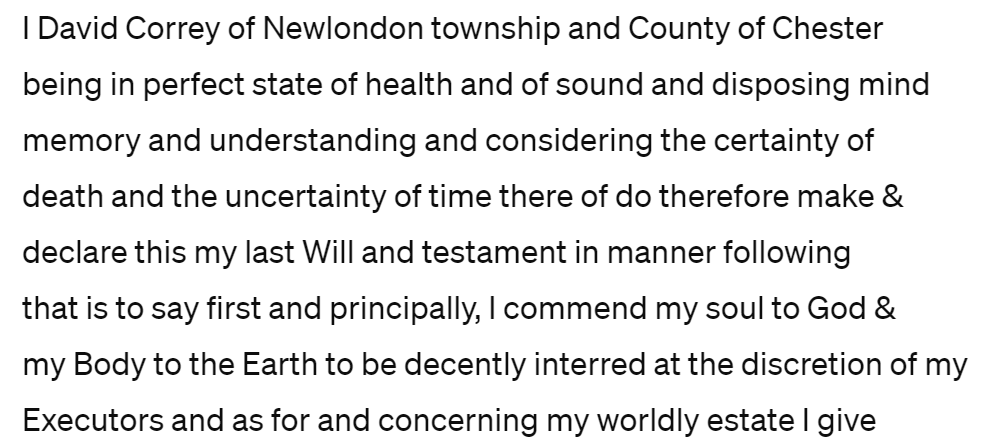
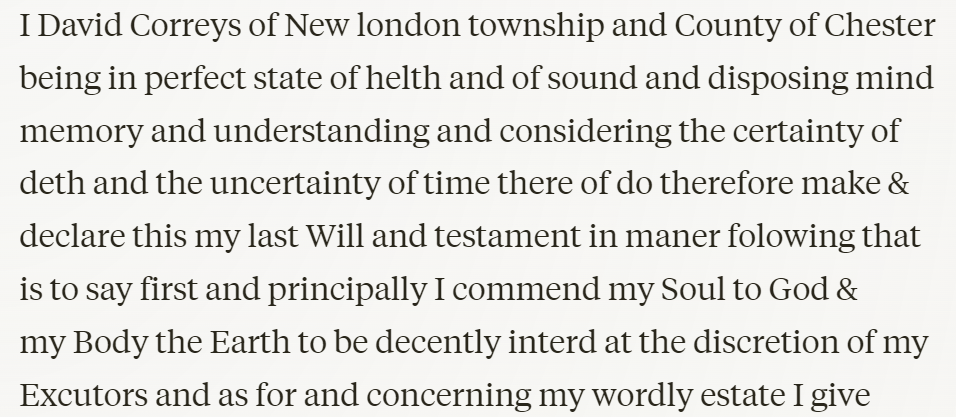
With ChatGPT and Claude as the leaders, I decided to test them with an entire page of the will. Both managed to transcribe the full page—a feat that AI has struggled with in the past. Claude, again, excelled at maintaining the original line breaks and was more consistent in preserving the document’s original misspellings.

Original vs. AI: A Comparison

Based on today’s spelling, the following words were some of the “misspelled” words in the original document: Newlondon (New London), perfict (perfect), helth (health), deth (death), folowing (following), satisfyed (satisfied), and princiepaly (principally). How did these two AIs fare?

ChatGPT's Transcription of David Correy's Will
ChatGPT’s Transcription of David Correy’s Will
Claude's Transcription of David Correy's Will
Claude’s Transcription of David Correy’s Will

Both ChatGPT and Claude corrected “perfict” to “perfect” and “deasently” to decently, other words were handled differently by the two AIs:

  • ChatGPT successfully kept “New london” as one word, but changed the spellings of the other words to match today’s spellings.
  • Claude managed to accurately transcribe words that were spelled incorrectly by today’s standards, but broke “Newlondon” into two words.

While neither AI perfectly preserved every original spelling, both performed impressively overall and both offer a valuable starting point for transcribing and understanding our ancestors’ written records. Claude, however, was the most precise.

Final Thoughts and a Look Ahead

FamilySearch’s full-text searching tool is an incredible benefit to genealogists. It opens up new possibilites for uncovering parts of our family histories that were previously difficult to access. I recommend trying it out to see what you can uncover about your ancestors!

As the field of AI continues to grow, new tools like Claude are showing us the future of technology’s role in our research. While ChatGPT has been a frontrunner, Claude is an amazing newer tool that is a definite asset. ChatGPT will likely release their next version soon.

Continuing the Journey with AI in Genealogy

If you are inspired by these advancements and want to explore the role of AI and genealogy further, please consider joining Dana’s course, “AI Explorations in Genealogy & Beyond: A Course of Discovery & Application.” This 8-week course is packed with:

  • Interactive learning sessions and live, recorded Zoom meetings
  • Small group activities that encourage a community learning experience
  • Weekly challenges to help you learn how to use AI in various ways

This course is perfect for those just beginning to integrate AI into genealogical research or those seeking to broaden existing skills. Click here to find out more and register today!

By integrating these innovative tools, we’re entering a new chapter in genealogy, making it easier than ever to access our past and bring the stories of our ancestors to light. Join us as we take on this exciting exploration.

The Power of AI in Tutoring

(Note: This blog post was originally published on the blog, Dana Leeds: Creator of the Leeds Method.)

Artificial intelligence (AI) excels at teaching basic concepts, serving as a personalized tutor across various fields, including genealogy. In this way, AI can act as our tutor whether we are trying to learn terms and skills related to genealogy or to another part of our life.

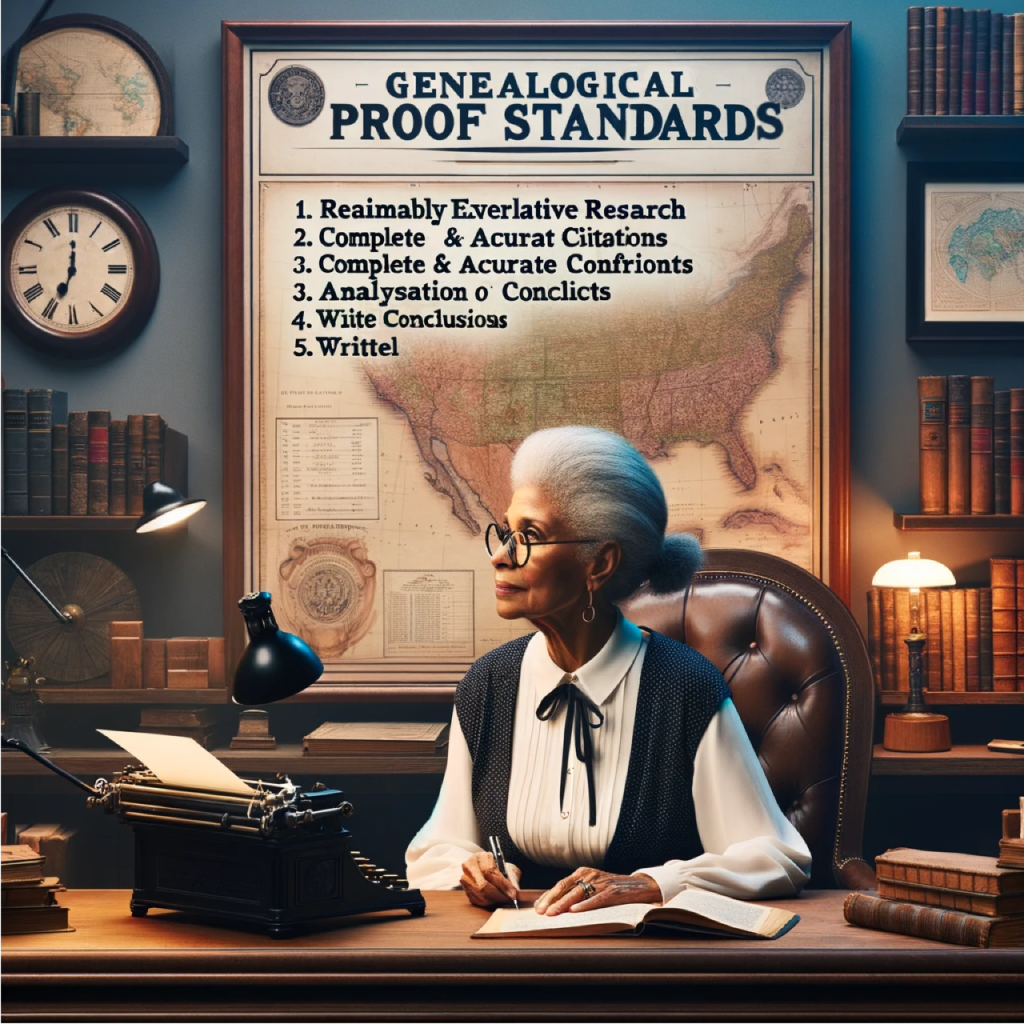
Recently, when prompted, it did a nice job of explaining the Genealogical Proof Standards (GPS). I went a step further, requesting an example of the third step: analysis and correlation of information.

Image generated by DALL-E 3 with title corrections using Procreate

I appreciate how AI tools like ChatGPT provide quick responses to our specific questions. Searching for an example of genealogical analysis and correlation online would be time-consuming. But with AI, it’s quick!

Another benefit is that we can ask AI to make its response simpler or more advanced. For instance, I can request ChatGPT to simplify the explanation for a sixth grader’s understanding or to elaborate as if I were a college freshman. In this way, we can quickly generate, and even modify, the explanations and examples we need.

However, we must be cautious about AI’s potential inaccuracies, often referred to as “hallucinations.” ChatGPT is getting better in this regards, but we need to be cautious. AI tools like ChatGPT tend to provide less accurate responses to highly specific questions than to more general information and explanation requests.

The remaining section highlights ChatGPT’s tutoring skills as it provides a detailed example of genealogical analysis and correlation.

So, in the words of ChatGPT, here is an example of analysis and correlation of genealogical materials:

ChatGPT

Certainly! Analysis and correlation in genealogical research involve critically examining all the collected information, then comparing and synthesizing this data to draw well-founded conclusions about ancestors and their relationships. Here’s an example of how this might work:

Scenario:

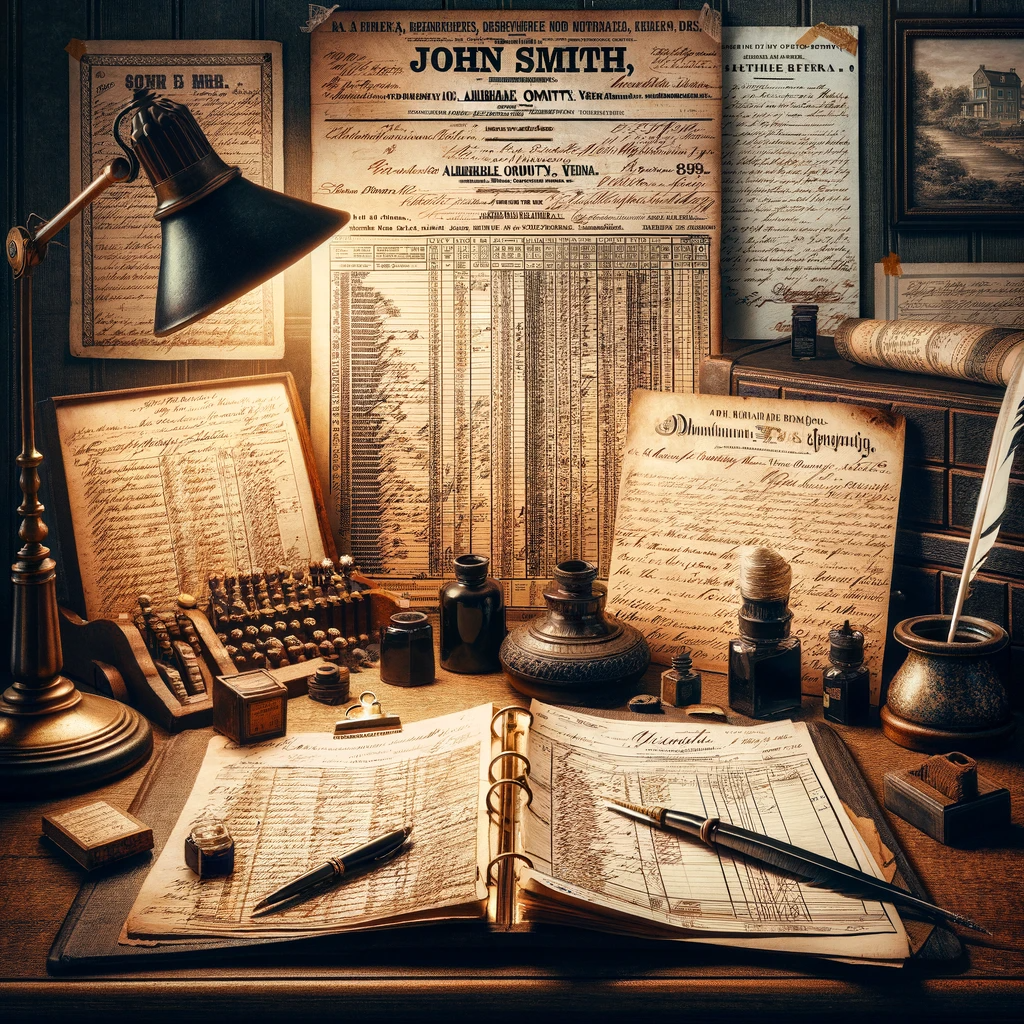
Imagine you’re researching an ancestor named John Smith who lived in Virginia in the early 1800s. You’ve collected several records that mention individuals named John Smith, and now you need to analyze and correlate this information to ensure you’re actually tracing the right person.

Image generated by DALL-E 3

Records Collected:

  1. A 1820 U.S. Federal Census record lists a John Smith in Albemarle County, Virginia, with a household of six.
  2. An 1823 marriage record from Albemarle County for a John Smith and Elizabeth Johnson.
  3. An 1830 U.S. Federal Census record lists a John Smith in Augusta County, Virginia, with a household of four.
  4. An 1832 land purchase deed in Albemarle County for a John Smith.
  5. An 1840 U.S. Federal Census record lists a John Smith in Albemarle County with a similar age and family composition to the 1820 census.

Analysis and Correlation Process:

  • Census Records: You begin by examining the age categories of the individuals in the households of the 1820 and 1840 Albemarle County census records. They match up with the expected ages of John Smith, his wife, and children, allowing you to infer they likely represent the same family. However, the 1830 census in Augusta County appears to be for a different John Smith, as the family size and location don’t match.
  • Marriage Record: The 1823 marriage record provides a wife’s name, which can be checked against the ages of the female members of the household in the 1840 census to see if it matches the expected age of Elizabeth Johnson Smith. If it does, this supports that you have the correct family unit.
  • Land Records: The 1832 land deed in Albemarle County suggests that John Smith either remained in the county or returned after 1830. You would correlate this with tax records, which might show a continuous presence in Albemarle County, suggesting the John Smith in the 1830 Augusta County census may indeed be a different person.
  • Consistency Across Documents: You also notice that the ages of the children across the census years seem consistent, suggesting a continuous and consistent growth of the family, further supporting the conclusion that these records pertain to the same John Smith.
  • Neighbors and Associates: Looking at the names of neighbors in the census records, you might find that certain families consistently appear near John Smith, which supports that you’re tracking the same individual across the censuses.
  • Naming Patterns: If you have access to probate or church records, you might find that John named his children after his siblings or parents, a common practice, and this can be corroborated with earlier records of John Smith’s supposed parents and siblings.
Image generated by DALL-E 3

Conclusion:

After carefully comparing the information, you conclude that the John Smith in the 1820 and 1840 Albemarle County census records and the 1832 land deed is the same person, and he is the individual you’re researching. The 1830 Augusta County record is deemed to be a different John Smith. You have accounted for the whereabouts of your John Smith consistently from 1820 to 1840, and you have a marriage that fits within the timeline and location expected for your ancestor.

This example demonstrates how genealogists use analysis and correlation to build a case for an ancestor’s identity and life events, ensuring that the person they are adding to their family tree is indeed the correct individual.

Your Turn

Have you tried using AI as a tutor? What did you ask it and how did it help? I’d love to hear from you about how you’re using AI alongside genealogy.

Creating More Consistent Images with DALL-E 3

(This post was originalyl published on the blog Dana Leeds: Creator of the Leeds Method.)

As genealogists, we find ourselves at the intersection of history and technology. Today’s example comes from the evolving field of AI-generated imagery. Earlier today, Steve Little from AI Genealogy Insights highlighted a resource that addresses a common challenge with DALL-E 3: fine-tuning the generated images to fit our specific needs by using seeds.

As part of a private Facebook group for Steve’s NGS “Empowering Genealogists with Artificial Intelligence” course, a Twitter post by Rowan Cheung was shared which sheds light on the concept of using ‘seeds’ to refine these images. While I had come across the term earlier in the week, it wasn’t until this demonstration that the methodology clicked for me—and it’s a game changer!

What’s the problem?

This and all following images generated using DALL-E 3

Often, when you try to make small changes to a generated image, it instead generates an entirely new image. And that can be frustrating!

For example, above is an image of a black cat with a sign that says “Trick or Treat” (with DALL-E 3’s notorious spelling mistakes).

I liked the cat and the scene, but I wanted to change the sign. So I prompted “Generate another image similar to #1 but have the sign say ‘Boo!’”

The new image changed a lot more than just the sign. It includes a different, younger black cat and different background though it’s similar.

Using seeds can help us to produce additional images that are much similar to the original image.

What is a “Seed”?

To better understand the concept, I turned to ChatGPT for an explanation of what “seeds” mean in the context of AI. Here’s an analogy from the first part of its response:

“Alright, imagine you have a magic book that gives you a random page number every time you ask it. But sometimes, you want to get the same ‘random’ page number every time you ask, so you can show your friend the cool picture on that page. That’s kind of what a seed does in AI.”

So, if we tell DALL-E 3 we want to modify a certain seed or page number, it does a pretty good job of giving back a similar image with the modifications we asked for.

Using Seeds

After reading through the Tweet mentioned earlier, I started playing with seeds (again). This time, I understood the process a lot better. And it worked!

My first success was a baby seal. I will use a series of prompts to get the desired image doing what is called “prompt chaining.”

Prompt #1: Draw an adorable seal with large eyes

Of the two seals DALL-E 3 generated, this was the “adorable baby” seal I chose to work with.

Prompt #2: What’s the seed for image 1?

Since the baby seal I wanted was the first of the two generated images, I asked for the seed for image 1. It responed “1122301494.” Remember, this is like me now knowing what “page” DALL-E 3 has the image on so I can go back and modify that page!

Prompt #3: Modify the image with seed 1122301494: add a beach scene with a starfish -ar 7:4

When I’m asking DALL-E 3 to modify a seed, I start with the phrase “modify the image with seed [x].” Next, I can ask it to add, remove, or edit something. And finally, I can ask for specific aspect ratios (-ar): 1:1 for square, 7:4 for wide, or 4:7 for tall. (I have also learned I can just use the words square, wide, or tall!) I love changing a square image into “wide” or “tall” which actually expands the scene!

We now have the SAME ADORABLE BABY SEAL with a wider beach scene and a starfish. WOW!!!

And just to try it again…

Prompt #4: Modify the image with seed 1122301494: add his mother -ar 7:4

In hindsite, I don’t think I needed to specifiy the aspect ratio since it was already wide. But I’m still learning!

And once again we have the SAME ADORABLE BABY SEAL with his mom!

Breathing Life Into Family History

And now a bit more from ChatGPT based on my input:

Transforming images with seeds isn’t just about tweaking a picture until it’s perfect; it’s a gateway to visual storytelling that can vividly illustrate our family histories. Whether we aim to elevate a photograph from ‘like’ to ‘love’, or we wish to infuse static images with dynamic action, the possibilities are endless.

Take, for instance, the journey I embarked on with a single image: a photograph of a young Confederate soldier. The original image captured a moment, but I envisioned more. I wanted to broaden the narrative. So, I expanded the image—widening its scope to include additional figures, thereby crafting a richer tableau.

There was also the matter of authenticity. Through prompt chaining, the soldier’s uniform had faded to brown in the “photograph.” With careful editing, I restored the uniform’s gray hue, maintaining historical accuracy while breathing new life into the image.

Join me as I continue to explore the potential of using seeds in AI to create more accurate and personalized visual stories.

Using Artificial Intelligence in Genealogy

(This blog post was originally published on the blog, Dana Leeds: Creator of the Leeds Method.)

If you follow me on Facebook, you’ve probably noticed that I’ve fallen in love with generating Artificial Intelligence (AI) art. I’m also embracing AI in my genealogy work as well as my broader life! This technology really started becoming possible less than a year ago in December 2022. My journey began a short time later.

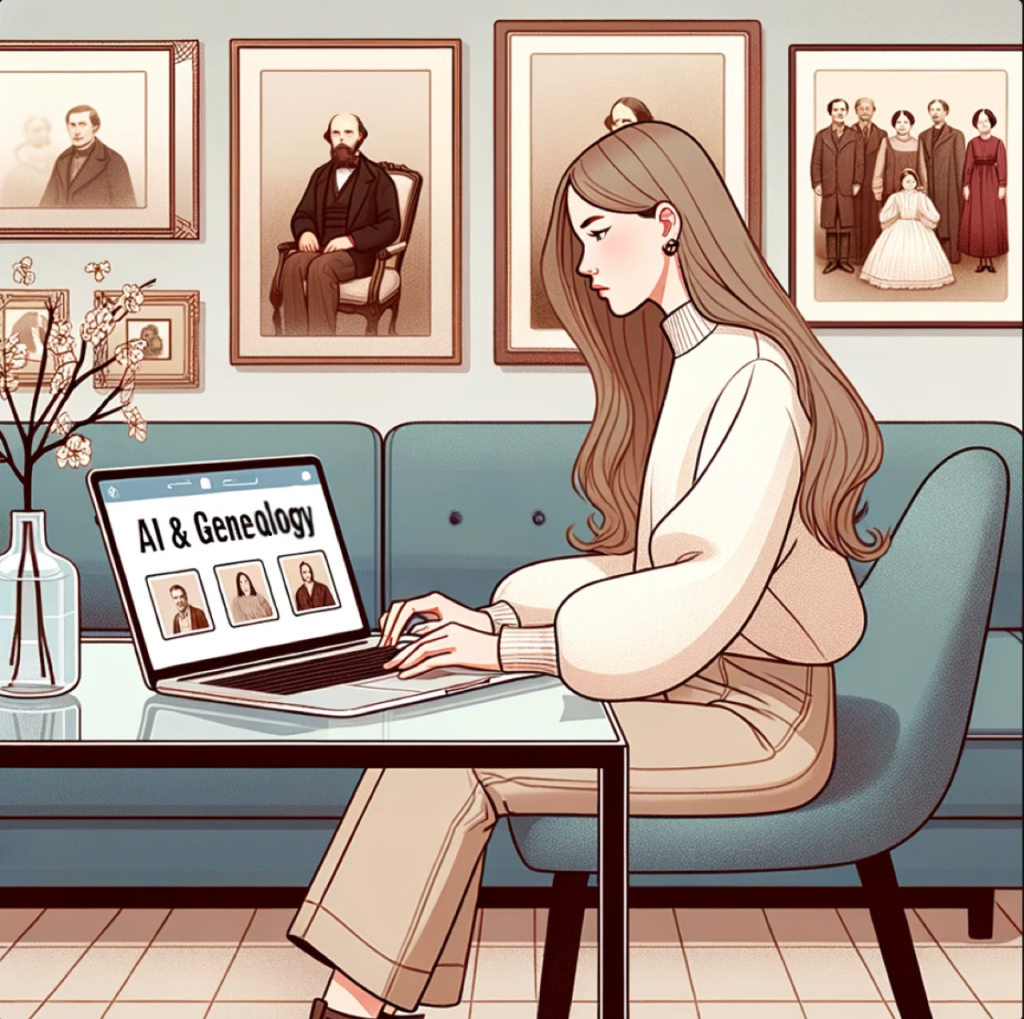
Image of woman working on computer with screen saying "AI & Genealogy"
AI illustration generated by DALL-E 3

So, what have I experimented with so far, how has it been helpful, and what concerns have arisen?

March 2023

I first tried the free version of ChatGPT in March. At that point, I was trying to use it more like Google; I wasn’t impressed. At the time, I didn’t realize that it wasn’t interacting with the live internet so was frustrated that it couldn’t help with more recent events.

May 2023

AI illustration attempt at playing pinball
AI illustration generated by DALL-E 3

By May I had watched a few YouTube videos where they showed how to use it to make plans to learn something. So, besides using it like Google, I also asked for how to learn Spanish at home, learn to be a better artist, and tips for improving my pinball game. Asking for ideas on how to learn something is one of ChatGPT’s strengths! For example, it suggested I do the following (with greater detail) to be a better pinball player:

  1. Practice
  2. Focus on ball control
  3. Study the game
  4. Develop a consistent technique
  5. Stay calm & focused
  6. Watch and learn from other players
  7. Join a pinball league or tournament

Note that even though AI has great tips about how to play pinball better, it doesn’t understand how you physically play pinball! No matter how I changed the prompt, it gets the

I also used it to learn more about a specific group of people I was working with on a project that was beyond what a simple Google search could do.

June 2023

In June I started asking more questions like “Explain X-DNA inheritance” and “If two people share 3505 cM of DNA, how are they related?” It did really well on the X-DNA question, but “failed” on the relatedness question. The Shared cM Project, where most genealogists turn to find genetic relationship probabilities based on a shared amount of DNA, shows that two people who share 3505 cM have a 100% probability of being parent/child.  ChatGPT also suggested they could be full siblings, half-siblings, or grandparent/grandchild.

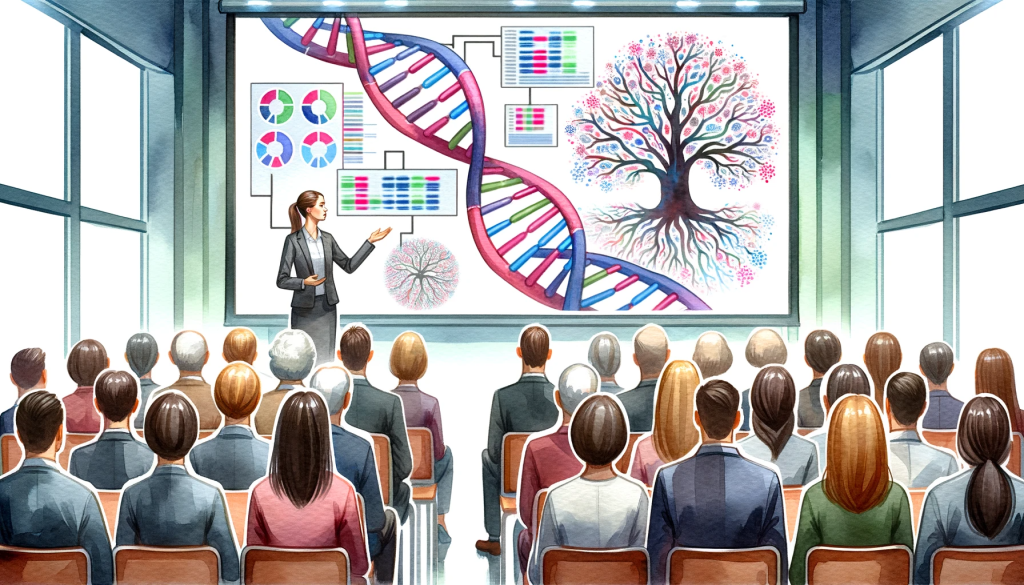
Showing a lady giving a presentation on DNA and genealogy
AI illustration generated by DALL-E 3 2023

I also first started using it to help me with my genetic genealogy presentations asking it to help me write titles and descriptions of my talks.

July 2023

In July, I started trying to find an app I could use to create digital art. I was trying to use a program called Journey for free, but it was always closed to new, non-paying members. Since I also do digital art on my iPad using Procreate, I asked it to generate prompts for my art.

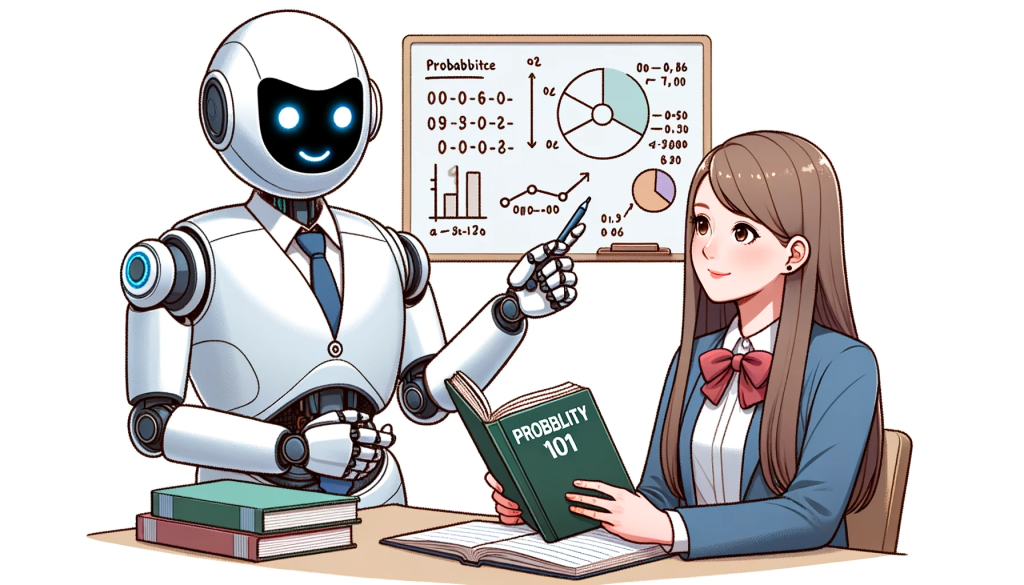
A humanoid robot teaching probability to a student
AI illustration generated by DALL-E 3

I also used it to help with the probability of two events happening focused on genetic genealogy. I learned that it not only answers your mathematical questions, it shows you HOW to calculate those answers.

(Notice that the AI generated illustration, which I created today, misspells the word “probability.” This is something I’ve noticed on most of my AI illustration generations! I am sure it’ll get better with time.)

August 2023

Why did the genealogist bring a ladder to the family reunion?

He wanted to see if there were any nuts in the tree.

Genealogist on ladder at family tree reunion looking for nuts
AI illustration generated by DALL-E 3

This is the first joke ChatGPT suggested when I asked, in August, for it to “write a joke about genealogy.” The jokes weren’t very good, and I’m also a terrible joke teller so it was probably a bad idea anyway. It is fun to see what AI can create, though I’m sure this is not an original joke.

I also continued to expand how I used ChatGPT for my talks by asking it to brainstorm things to include in a specific talk. This technique helps to save time! Of course, I am not using its suggestions exactly, but it helps to get me started.

I also used ChatGPT during a non-profit meeting to brainstorm fundraising event ideas! This was an amazingly quick way to get a lot of great ideas. And we were able to tweak them to customize them with our theme.

September 2023

Robot teaching woman how to use Excel
AI illustration generated by DALL-E 3

In September, I was struggling with getting the page numbers on a handout in Word as I wanted them. I asked ChatGPT, and it gave me the instructions I needed to quickly fix them! I also asked it to help me come up with an Excel formula to help in a tournament where the calculations were complex. Realizing I could turn to AI for help with Word and Excel was a great help for me!

October 2023

In October 2023, I went to the East Coast Genetic Genealogy Conference where Blaine Bettinger used AI generated illustrations in his presentation. This was a game changer for me!

At the conference, I also met Stephen Little who was starting a 4-week course with NGS titled “Empowering Genealogists with Artificial Intelligence.” (We started yesterday and I’m excited about this course!)

Robot creating a sign that says "I love AI art"
AI generated by DALL-E 3 October 2023

When I got home from the conference, I discovered Carole McCulloch of “AI and the Genealogist” through a free video she has on YouTube titled “ChatGPT-4 and DALL-E3: an AI Genealogist Tip.” This is how I really got started generating art illustrations with AI! And it was at this point that I switched to a $20/month paid subscription of ChatGPT to access DALL-E 3.

The Future of AI and Genealogy

I have embraced AI’s power to help me solve problems, acquire new skills and knowledge, brainstorm, edit my written words, and generate illustrations. Just as the ability to use our DNA has transformed genealogy, I believe AI will also transform our field by helping us create quick and accurate transcriptions, abstractions, and translations; process and analyze large amounts of data; and much more. Of course we need to educate oursleves on how to use AI ethically and responsibly, especially in this field of genealogy where the accuracy of the information we share is crucial. Missteps in this area could lead to the spreading of errors, inaccurate family histories, and misleading future researchers.

Personally, I look forward to seeing how AI continues to transform our field as we gather, evaluate, and share our family stories. Although some are uncertain about this new technology, I am excited about harnessing this new power to both enhance our existing practices as well as unlock new tools to help us perform tasks more quickly and accurately. Thankfully, our genealogy community is actively discussing, researching, and even educating our members as to how we can use this tool ethically.

Like many others, I believe the world is entering a new era. As we continue to explore and integrate AI into our work, the possibilities for innovation and discovery are limited only by the advancements in these tools and our own imaginations. Let’s embrace the future as we explore how AI can enhance the field of genealogy.

Your Turn

Have you tried AI? If so, what platform have you used? And what successes or failures have you had while using AI? How do you think it will affect your personal and work life in the future?